Self-hosted · Multi-tenant by design · Fair source
The agentic company OS.
The brains of your company, built on Claude Code & Codex, working on your Anthropic and OpenAI subscriptions.
Free to self-host up to 5 users. No credit card. Your hardware, your data.
Agents
Build your own AI agents.
- PEPersonal Assistant
- SYSystem Admin
- MAMarketing Manager
They run on your server.
Anatomy
What an agent is made of.
 Personaplain-language instructions
- Memorynotes it keeps across chats
- Workspacewhere the everyday work lands
- Knowledgereference documents on hand
- Skillstechniques it has learned
- Toolswhat it is allowed to use
Everything it needs, in one place.
Agent modes
Four ways to share one agent.
- Personal onlyA private workspace for each person.
- Personal + sharedA private workspace for each person as the default, and a shared one for the team.
- Shared + personalA shared team workspace as the default for everyday work, plus a private one per person.
- Shared onlyOne history and one workspace, for everyone.
Roles
Everyone gets the right seat.
Three platform roles
- Adminruns the platform
- Creatorcreates agents
- Memberuses the agents they're given
Four roles on every agent
- Managerfull control of the agent
- Editoredits shared files, automates as the agent
- Contributoradds files, nothing more
- Viewerchats, reads shared files
AI engines
Claude Code or Codex on your subscription, or local models.
- Claude Codeon your Anthropic subscription
- Codexon your ChatGPT subscription
- Local modelsOllama, llama.cpp, LM Studio or vLLM, on your hardware
- your subscription
- your hardware
Pick per agent. Switch per chat.
Automation
They work while you are away.
- Every morninga recurring task
- When an event firesa webhook trigger
- In two hoursa one-time task
- Work in your workspacereports, files and updates
- They notify youwhen something needs you
They keep working when you close the tab.
Apps
Build and deploy full apps, just by asking your agent.
Inside the platform, for your team
- Team boardA board the whole team works on, with buttons that put the agent to work.
Shared by link, for your customers
- Book a haircutA booking page you share by link, opened on their phone, no account needed.
- its own database
- platform tools
- schedules & notifications
Ask in a chat. It is running in minutes.
Phone
Give an agent a phone number.
- TWILIObring your own account
- ASTERISK · FREEPBXor your own phone server
- incoming call
- outgoing call
It talks. It listens. It gets the job done.
Remote machines
Runs on your server. Works on your machines.
- Your serverall your agents · one dashboard · isolated sandbox
- LaptopmacOS · full access
- WorkstationLinux · full access
- PCWindows · full access
- outbound only · no open ports
- full access
Offline? Your server takes over.
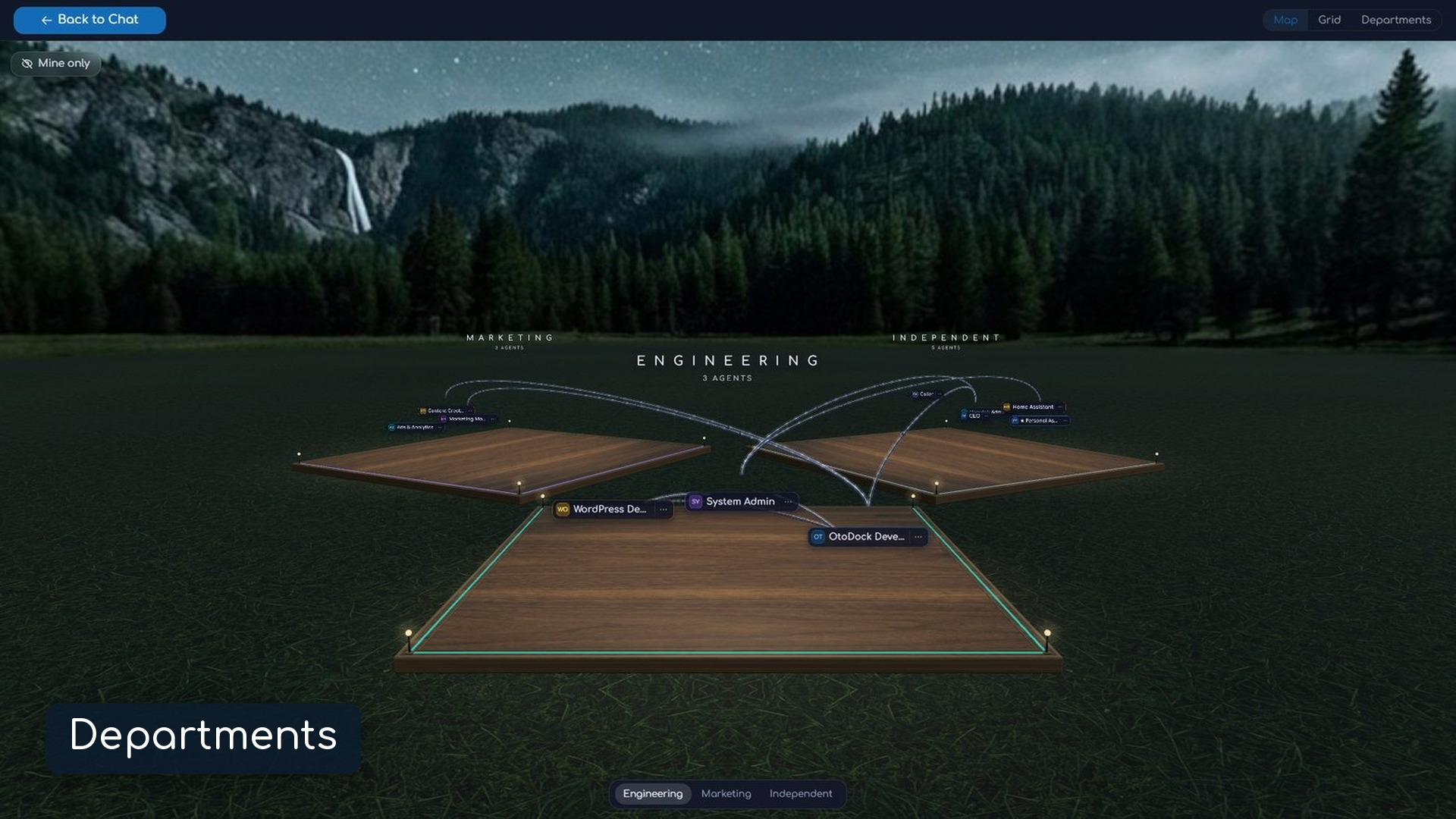
- Departments
The brains of your company
Organize your agents into departments, decide who can delegate to whom, or put them in a meeting together.
- Apps
Manage them effortlessly
Every agent can have its own apps. Pin one and it becomes the agent's home.
- Endless tools
Digital employees
Your agents are digital employees. They connect to endless tools, from your calendar to your smart home.
- Documents
Real files, edited in the chat
They edit Excel, Word and PowerPoint files right in the chat.
Locked down by default.
Granted on purpose.
Agents are powerful, so OtoDock assumes they can't be trusted. Every server-side agent runs inside a kernel sandbox with always-on network isolation, and you grant access one service at a time.
Read the security model →A kernel sandbox around every agent
Each session runs in its own mount and process namespace. Folders are mounted automatically from each user's role per agent.
Network isolation
Private ranges, your LAN, and cloud metadata endpoints are unreachable by design. MCP tools that need a local service can be granted scoped access by the admin, per agent.
Secure credentials
Credentials saved in the database are encrypted. Your chats run on your own AI and connected accounts, or on a shared key your admin allows.
Ready for teams
SSO sign-in, two-factor auth, and per-user cost budgets come standard, from the first install.
Everything included
One platform, the whole toolkit.
Memory that persists
Agents keep transparent, editable memory files, per user and per agent.
Image generation & editing
Generate and iterate on images in chat, plus a professional-grade editing pipeline for photos.
Web browsing
Add the browser tool from the community catalog to enable your agents to research the live web.
Community catalog
Install ready-made agents, tools and skills in one click: a browser, GitHub, Notion, Home Assistant, and more landing regularly. Agent templates come with their apps and checks and follow new versions.
Usage & budgets
Per-user and per-agent cost tracking with weekly or monthly limits.
Team-ready security
SSO/OIDC, two-factor auth, four roles on every agent from viewer to manager, encrypted credentials, and scoped API keys, from day one.
The two-minute video
This entire video was directed, captured and edited by an OtoDock agent.
Running in minutes
One short install script. It checks Docker, writes your .env, and starts the stack: server, dashboard, PostgreSQL, live document preview.
$ mkdir otodock && cd otodock
$ curl -fsSLO https://raw.githubusercontent.com/OtoDock/oto-dock/main/scripts/install.sh
$ bash install.sh

→ open http://localhost:8400 and create your admin
Fair Source
The full source is public. Self-host free up to 5 users, read every line, and every release converts to Apache 2.0 after two years.
How the license works →Simple licensing
Community is free forever. Growing teams license by seats. Same software, signed key, no feature gates on your data or your agents.
See pricing →Put your agents to work
Self-host free in minutes. When your team grows, licensing is one click away.